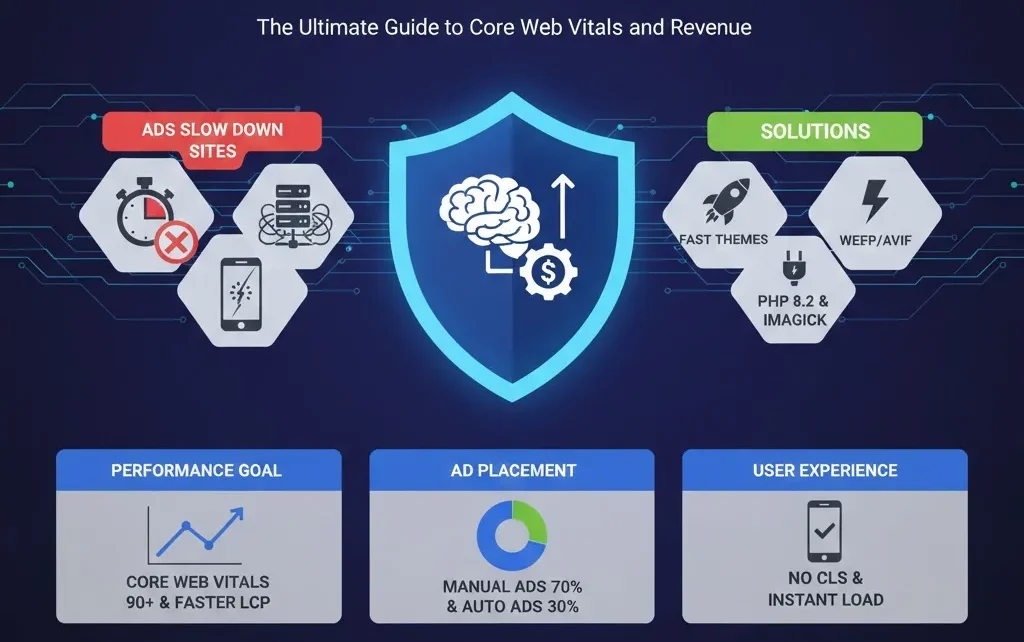
How to Use AI Content Gap Analysis in 2025 to Steal Competitor Traffic (Ethically)AdSense-Friendly WordPress Speed Optimization 2025: The Ultimate Guide to Core Web Vitals and Revenue
In the digital landscape of 2025, website owners face a relentless paradox: the need for high-frequency ad impressions versus Google’s strict Core Web Vitals (CWV) requirements. As Google’s Search Generative Experience (SGE) and AI Overviews prioritize fast, user-centric pages, a slow, ad-heavy site is no longer just a minor inconvenience—it is a direct threat to your search visibility and overall revenue.
H.1 Why Ads Slow Down Modern Sites
To fix the speed, we must first understand the technical “performance tax” ads impose. Displaying ads is a heavy computational process that interacts with multiple third-party servers in real-time.
H.2 The JavaScript Execution Bottleneck
The primary culprit is the adsbygoogle.js library. When this script executes, it triggers a “waterfall” of requests: bidding requests, tracking pixels, and finally, the rendering of the ad creative. In 2025, the average ad-heavy page executes massive amounts of JavaScript on the Main Thread. Since the browser can only do one thing at a time on the main thread, the page often “freezes” while ads are being processed, leading to a poor user experience.
H.3 Network Latency and Third-Party Bloat
Every ad unit on your page represents a series of external calls. These requests increase Latency, especially if the user is on a 4G or unstable mobile connection. When your site has to wait for a response from an ad server before finishing the page render, your performance metrics drop instantly.
H.4 Mastering Core Web Vitals in 2025
Google’s Core Web Vitals are the benchmark for a “healthy” website. When ads are added to the mix, these three metrics are the first to suffer.
H.5 Largest Contentful Paint (LCP)
LCP measures how long it takes for the largest piece of content (usually a hero image or a heading) to become visible.
-
The Ad Conflict: If you place a large 728×90 or 970×250 ad at the very top of your page, the browser might mistake this ad for the LCP element. Because ads load from third-party servers, they will always be slower than your local content, causing your LCP score to fail (target is < 2.5s).
H.6 Interaction to Next Paint (INP)
INP replaced FID (First Input Delay) as a core metric. It measures the latency of all interactions on a page, like clicks and taps.
-
The Ad Conflict: Heavy ad bidding processes can “hijack” the browser’s processing power. To stay under the 200ms threshold, your ad delivery must be asynchronous so it doesn’t block user inputs.
H.7 Cumulative Layout Shift (CLS)
CLS measures visual stability.
-
The Ad Conflict: An ad slot is usually 0px high until an ad is fetched. Once the ad arrives, it “pushes” the content down. This sudden shift is a major penalty (target is < 0.1).Boost Core Web Vitals and Revenue
H.8 Selecting a High-Performance, Ad-Ready Theme
Your theme dictates your site’s initial CSS weight. A heavy theme leaves no “performance budget” for ads. In 2025, lightweight architecture is mandatory.
-
GeneratePress (Pro): Its modular structure allows you to deactivate every feature you don’t use, keeping the DOM size small.
-
Astra: Offers specific “Hooks” that allow for cleaner ad injection without breaking the layout.
-
Blocksy: Highly optimized for the Gutenberg (Block) editor, which is currently the fastest way to render WordPress content.
H.9 Image Optimization: The Foundation of Speed
Image optimization is your secret weapon. By reducing the weight of your images, you “make room” for the unavoidable weight of your ads. Relying on unoptimized JPEGs in 2025 is a missed opportunity.
The Power of WebP and AVIF
Utilizing next-gen formats like WebP can cut your image weight by up to 78%. For a site with thousands of images, this can save hundreds of megabytes in bandwidth.
Server-Side Performance (PHP 8.2)
To process and serve these images quickly, your server must be modern.
-
PHP 8.2: Offers significant execution speed improvements over older versions.
-
GD & Imagick: Ensure these PHP extensions are enabled. They allow WordPress to resize images on the fly, ensuring mobile users never download desktop-sized files.
H.10 Manual Ad Placement vs Auto Ads
While Auto Ads offer convenience, they often hurt Core Web Vitals by injecting code into random, unoptimized locations.
-
Strategic Control: Manual placement allows you to avoid placing ads in the “Above the Fold” area, which protects your LCP score.
-
Smart Spots: Focus on high-CTR areas that don’t disrupt the reading flow—below the first paragraph, mid-content, and at the end of the post.
-
Layout Stability: By using manual containers, you can set fixed heights for ads, which is the most effective way to eliminate CLS.Boost Core Web Vitals and Revenue
H.11 Advanced Script Optimization: Delaying the Heavy Lifting
If you can’t make the ad script smaller, you must make it load later. This is the “Secret Sauce” of 90+ PageSpeed scores.
Script Delaying
By delaying the adsbygoogle.js script until the first user interaction (like scrolling), you allow the browser to focus 100% of its power on rendering your text and images first.
Preconnecting to Ad Domains
Establish a “handshake” with Google’s servers early. This reduces the time spent on DNS lookups when the ad script finally triggers. Add these to your <head> section:
HTML
<link rel="preconnect" href="https://googleads.g.doubleclick.net">
<link rel="preconnect" href="https://pagead2.googlesyndication.com">
H.12 Infrastructure: Caching and CDN Strategy
A standard cache is no longer enough for an ad-heavy site in 2025. You need an “Ad-Aware” setup.
-
Object Caching (Redis): This stores database query results in the server’s RAM, allowing your ad placement logic to run almost instantly.
-
Edge Caching: Use a CDN like Cloudflare to store your entire HTML page on servers closer to your users. This reduces the Time to First Byte (TTFB).
-
Exclusion Rules: Ensure your caching plugin doesn’t “minify” AdSense scripts, as this can break ad delivery and tracking.
Mobile-First Optimization for Ad Revenue
Since most AdSense traffic is mobile, your optimization must prioritize small screens.
-
Viewport Management: Ensure your ads are responsive. A desktop-sized banner on a mobile screen will trigger a layout shift and likely a policy violation.
-
Tap Targets: Make sure ads aren’t placed too close to buttons or links to avoid “Accidental Clicks,” which can lead to AdSense account warnings.
14-Day Performance & Revenue Action Plan
Week 1 – Measure and Clean Up
Analyze your current metrics. Disable Auto Ads and move to 3-4 strategic manual placements. Audit your plugins and delete anything that adds unnecessary bloat.
Week 2 – Rebuild for Performance
Implement WebP image conversion. Ensure your hosting is running on PHP 8.2. Finally, set up script delaying and preconnect tags to finalize your speed strategy.
Common Optimization Pitfalls to Avoid
-
Over-Optimization: Using three different “speed” plugins will cause conflicts and likely break your ads. Pick one robust solution (like WP Rocket or LiteSpeed Cache).
-
Ignoring Font Files: Heavy Google Fonts can be as damaging as ads. Use system fonts or host fonts locally to save requests.
-
Chasing 100/100 Scores: Don’t sacrifice your ads just to get a perfect score. A score of 90+ with active ads is the “Gold Standard” for publishers.
Conclusion: Speed as a Revenue Multiplier
In 2025, the relationship between site speed and revenue is linear. A faster site leads to better rankings, more traffic, and ultimately, higher ad impressions. By balancing technical hygiene—like utilizing WebP conversion—with smart script management, you can create a site that satisfies both Google’s algorithms and your bank account. Speed is no longer a luxury; it is the currency of the modern web.


2 Comments on “AdSense‑Friendly WordPress Speed Optimization 2025: Boost Core Web Vitals and Revenue”