How to Increase Google AdSense RPM in 2025 without Annoying Your Visitors
In the evolving world of digital publishing, many creators make the mistake of chasing traffic volume alone. While millions of pageviews sound impressive, the true measure of a sustainable business is how much revenue you extract from every single visitor. This is where RPM (Revenue Per Mille) comes into play.
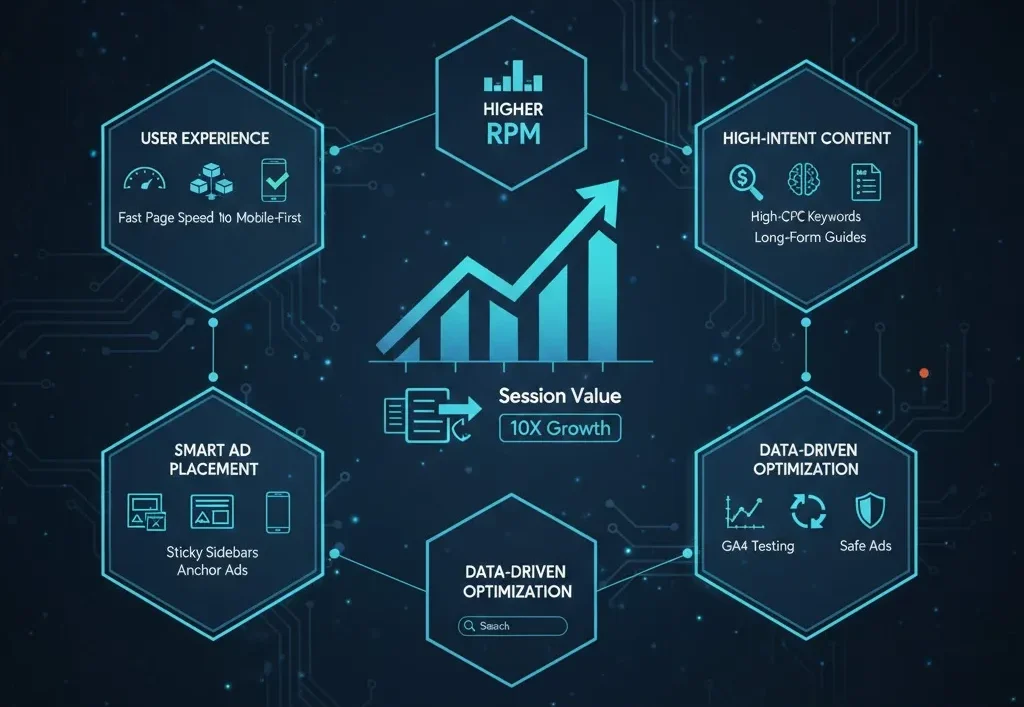
In 2025, maximizing your RPM isn’t about plastering your site with more ads; it’s about optimizing the intersection of user experience, high-intent content, and smart technology. If you increase your RPM, you can double your income without needing a single additional visitor. This guide provides a step-by-step roadmap to doing exactly that.
What Is AdSense RPM and Why Does It Matter
Defining RPM and the Success Formula
Revenue Per Mille (RPM) represents the estimated earnings you receive for every 1000 pageviews. It is a key performance indicator (KPI) that helps you understand how efficiently you are monetizing your traffic. Unlike CPC (which focuses on the individual click), RPM gives you the “big picture” of your page’s value.
To calculate your Page RPM, use this simple formula: Page RPM = (Estimated earnings ÷ Page views) × 1000
For example, if you earned $15 from 3,000 pageviews, your RPM is $5.00. Understanding this number allows you to identify which specific pages are “revenue leaders” and which ones are underperforming.
The Relationship Between RPM, CPC, and CTR
Your RPM is driven by three main engines:
-
CPC (Cost Per Click): How much advertisers pay for a click.
-
CTR (Click-Through Rate): How many people are actually clicking.
-
Traffic Quality: The geographical and behavioral profile of your visitors.
Simply increasing pageviews often leads to a drop in RPM if that traffic is low-quality (e.g., viral social media clicks). High-quality traffic from search engines typically has a higher intent, leading to better CPC and CTR, which naturally lifts your RPM.
Understand the Real Drivers of High RPM
Targeted, High-Intent Traffic
The source of your traffic is the single biggest predictor of your RPM.
-
Search Intent: A user searching for “best cloud hosting for small business” has a high commercial intent. Advertisers will bid aggressively to be seen by this user.
-
Social/Viral Traffic: A user clicking a “10 Funniest Cat Photos” link on Facebook has zero commercial intent. They are there for entertainment, and the ads shown to them will be low-value “interest-based” ads.
Real-Life Example: You might see a Page RPM of $25.00 for visitors from the USA searching for “insurance quotes,” while the exact same page might only have an RPM of $1.50 for visitors from a Tier-3 country browsing via a social media link.
Ad Viewability and Session Value
Google and premium advertisers now prioritize Viewability. If an ad is at the bottom of a page and the user never scrolls down, that impression is worth almost nothing. To increase RPM, you must ensure your ads are “in-view” for a significant amount of time.
Furthermore, Session Value is becoming more important than Page Value. By increasing your Pages per Session and Scroll Depth, you provide more opportunities for high-quality ad impressions, which signals to Google’s AI that your site is a premium placement for advertisers.
Step 1 – Fix the Fundamentals: Speed, Layout, and UX
Page Speed and Core Web Vitals
In 2025, a slow website is a revenue killer. If your site takes more than 2 seconds to load, users bounce before the ads even have a chance to render. Google’s Core Web Vitals, specifically Cumulative Layout Shift (CLS), are crucial. If your ads cause the content to “jump” (CLS > 0.1), users get frustrated and leave, and Google may penalize your rankings.
Practical Optimization Tips:
-
Use a lightweight theme (like GeneratePress or Astra).
-
Convert all images to WebP format.
-
Implement a CDN (like Cloudflare) to serve content from servers closer to the user.
-
Use Lazy-Loading for ads so they only load when the user is about to reach that section of the page.
Clean, User-First Layout
The “ad-clutter” era is over. If 80% of your screen is ads, the user cannot find the information they came for. Google recommends a maximum of 30% ad density on mobile screens. A clean layout with clear typography and plenty of white space keeps users engaged longer. The longer they stay, the more “refreshed” ads they see, which increases your session RPM without annoying the visitor.
Step 2 – Optimize Ad Formats and Placements
High-Impact but Non-Intrusive Formats
Not all ad units are created equal. To boost RPM, focus on:
-
Responsive Display Units: These adjust to any screen size automatically.
-
Native/In-Article Ads: These match the look and feel of your content, leading to higher CTRs.
-
Sticky Sidebars (Desktop): Keeping an ad visible as the user scrolls through a long article is a proven way to increase viewability time.
-
Anchor Ads (Mobile): These stay at the bottom of the screen. While they are high-earning, ensure they are easy for the user to dismiss to maintain trust.
Smart Placement Strategy
The best ad placements are those that follow the user’s natural eye path.
-
Below the Title: High visibility, but can be intrusive if too large.
-
After the Introduction, Users are now invested in the article and more likely to notice a relevant ad.
-
Mid-Article: Great for long-form content.
-
Near the Conclusion: Users have finished the task and are looking for what to do next.
Avoid: Placing ads too close to navigation menus or “Next” buttons. This causes “accidental clicks,” which Google eventually filters out, lowering your CPC and potentially risking your account.
Step 3 – Use Content Strategy to Lift RPM
Focus on High-Value Topics and Niches
If your site is about “General News,” your RPM will always be lower than a site focused on SaaS, Finance, or B2B Tools. To lift your RPM, create content clusters around high-value topics.
-
Example: If you have a Tech blog, don’t just review gadgets. Write about “Enterprise Security Solutions” or “Cloud Optimization for Remote Teams.” These topics attract corporate advertisers with massive budgets.
Build Long, Engaging Sessions
The longer a user stays on your page, the more valuable they are.
-
In-depth Tutorials: 2000-word guides solve real problems and keep users on-page for 5+ minutes.
-
Internal Linking: Use a “Next Steps” or “Related Resources” section at the end of every post. If a user visits three pages instead of one, you have effectively tripled your revenue from that one visitor.
Step 4 – Protect User Experience While Monetizing Aggressively
Choose Non-Intrusive Ads and Block Bad Creatives
Your long-term RPM depends on user trust. Use the AdSense Ad Review Center to block misleading ads, contain autoplay sound, or are irrelevant to your audience. A “Brand-Safe” environment attracts higher-quality advertisers who are willing to pay a premium for their ads to appear on a clean, professional site.
Mobile-First Experience
Since over 60% of web traffic is mobile, your mobile layout is your most important asset.
-
Ensure the “Back” button is never blocked by an ad.
-
Avoid full-screen interstitials that appear immediately upon entry; wait until the user has engaged with the content.
-
Use “thumb-zone” placements—areas where users naturally tap—but keep them far enough from buttons to avoid penalties.
Step 5 – Analyze Data and Keep Testing
Use AdSense + GA4 to Find “Money Pages.”
Not all pages on your site perform equally. In GA4, you can track “Revenue per Page.”
-
Low RPM Pages: If a high-traffic page has a low RPM, it likely needs better ad placement or more commercial subheadings.
-
High RPM Pages: Identify what makes these pages successful. Is it the topic? The country of the visitors? The length of the content? Replicate that success across the rest of your site.
A/B Testing Ads
Don’t guess—test. Change one variable at a time (e.g., move an ad from the sidebar to the middle of the text) and run the experiment for at least 14 days.
Pro Tip: Watch your Bounce Rate alongside your RPM. If your revenue goes up by 10% but your bounce rate increases by 20%, you are destroying your long-term SEO for a short-term gain. Reject any test that hurts the user experience significantly.
Common RPM-Killer Mistakes to Avoid in 2025
-
Buying Bot Traffic: It might look good in your analytics, but Google will detect the lack of engagement. Your RPM will crash, and your account will likely be banned.
-
Over-Using Pop-Ups: In 2025, users have zero patience for intrusive pop-ups. If a user cannot read the first paragraph without closing three windows, they will leave and never return.
-
Ignoring Mobile UX: Having a desktop-first mindset in a mobile-first world is the fastest way to lose revenue.
FAQs about Increasing AdSense RPM in 2025
1. What is a “good” RPM for a niche site? This varies wildly. An “Entertainment” site might be happy with a $2.00 RPM, while a “Personal Finance” or “SaaS” site could easily see an RPM of $20.00 to $50.00. Compare your RPM against your specific industry benchmarks.
2. Why did my RPM drop suddenly, even though traffic went up? This usually happens when your new traffic is coming from a lower-value source (like a viral social post) or from a country with lower advertiser competition. It can also happen if your site speed has slowed down due to a new plugin or update.
3. Does adding more ads always increase RPM? No. There is a “point of diminishing returns.” After a certain point, more ads simply distract the user, lower the CTR of the remaining ads, and increase the bounce rate. Focus on the quality of placement over quantity.
4. How often should I change my ad layout? You should review your performance monthly, but only make major layout changes every 3–6 months. Constant changes prevent you from gathering enough stable data to know what is actually working.
5. Can small sites realistically improve RPM without ad networks/header bidding? Absolutely. By focusing on High-Intent Keywords and User Experience, a small site can often achieve a higher RPM than a massive news site because the audience is much more targeted.
Conclusion
Final Tips for Higher RPM in 2025
Increasing your AdSense RPM in 2025 is a balancing act. It requires a technical foundation (speed), a strategic content approach (intent), and a commitment to protecting the user journey. By focusing on Session Value rather than just clicks, you build a resilient, high-earning digital asset that advertisers are eager to bid on.

