Core Web Vitals Optimization Guide for 2026: Make Your WordPress Site Fast, User‑Friendly & AdSense‑Ready
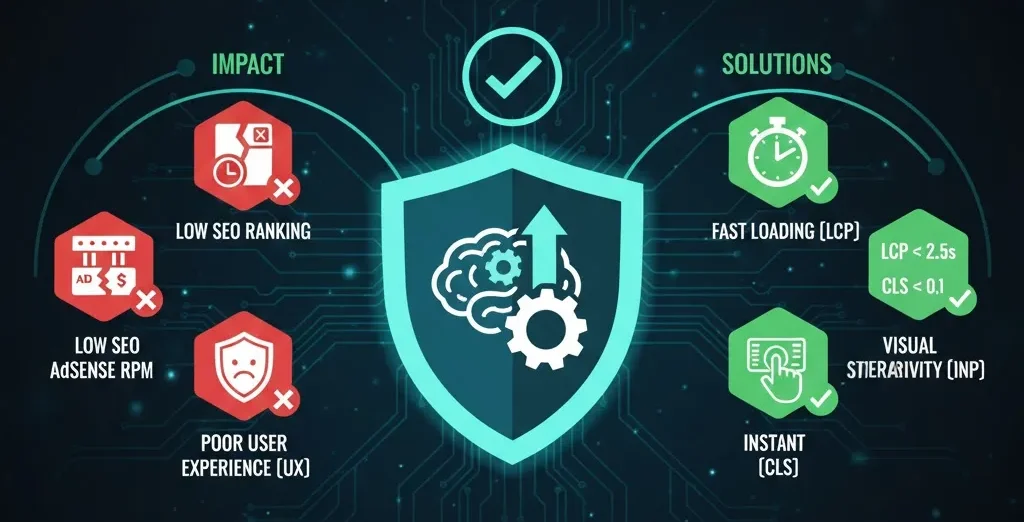
In the digital landscape of 2026, the speed of your website is no longer just a “technical preference”—it is a core business requirement. As search engines like Google become increasingly sophisticated with AI integration, they prioritize sites that offer a seamless, stable, and instant user experience. If your site is slow, you aren’t just losing SEO rankings; you are losing revenue in the form of diminished AdSense RPM and high bounce rates.
Why Core Web Vitals Matter So Much in 2026
Core Web Vitals are a set of specific factors that Google considers important in a webpage’s overall user experience. By 2026, these metrics will have moved from being a “tie‑breaker” in search results to a primary ranking signal. Google’s AI Overviews and Discover feed now prioritizes sites that hit the “Good” threshold because they provide a better landing experience for users.
When you fail the CWV test, the impact is felt across your entire business:
-
SEO & Visibility: Your pages may drop in rankings, and your chances of appearing in Google Discover or Top Stories diminish significantly.
-
AdSense Revenue: High‑quality advertisers bid more for “premium” placements on fast sites. If your site is sluggish, your CPC (Cost Per Click) and RPM (Revenue Per Mille) will naturally be lower because the “viewability” of your ads drops.
The Three Core Web Vitals You Must Understand
Largest Contentful Paint (LCP) – Perceived Load Speed
LCP measures how long it takes for the largest element on the screen (usually a hero image, video, or a large block of text) to become visible to the user. In 2026, users expect content to appear almost instantly.
-
Good: ≤ 2.5 seconds
-
Needs Improvement: 2.5 – 4 seconds
-
Poor: > 4 seconds. Google uses the 75th percentile of all page loads. This means if 75% of your users see the main content in under 2.5 seconds, you pass.
Cumulative Layout Shift (CLS) – Visual Stability
CLS measures how much the elements on your page move around while the page is still loading. This “accidental click” frustration is exactly what CLS tracks.
-
Good: < 0.1
-
Needs Improvement: 0.1 – 0.25
-
Poor: > 0.25
Interaction to Next Paint (INP) – Real Interactivity in 2026
INP measures the latency of all interactions throughout the entire visit. If a user clicks a menu or an accordion and it takes too long to respond, your score will drop.
-
Good: < 200 ms
-
Needs Improvement: 200 – 500 ms
-
Poor: > 500 ms
Step 1 – Measure Your Core Web Vitals the Right Way
PageSpeed Insights & Lighthouse Basics
PageSpeed Insights (PSI) is the gold standard. Pay attention to the difference between Field Data (real‑world users) and Lab Data (simulated test). Field data is what Google actually uses for rankings. Focus on the “Opportunities” and “Diagnostics” sections to see exactly which scripts are slowing you down.
Search Console’s Core Web Vitals Report
Google Search Console (GSC) provides a property‑wide view. It groups “Similar URLs” together. For example, if your “Single Post” template is slow, GSC will show you that all your blog posts “Need Improvement.” This allows you to fix one template and solve the problem for your entire site.
Step 2 – Build a Performance‑Friendly WordPress Foundation
Choose a Lightweight Theme & Minimal Plugins
The most common cause of poor CWV scores is “theme bloat.”
-
Recommendation: Use lightweight themes like GeneratePress, Astra, or Blocksy. These themes load minimal CSS and JavaScript.
-
Plugin Hygiene: Delete any plugin you haven’t used in the last 30 days. Specifically, look for heavy sliders and complex “related post” widgets that add bulk to your code.
Hosting, PHP Version & Server Response
Your TTFB (Time to First Byte) is the foundation of your LCP.
-
Hosting: Use Managed WordPress Hosting with NVMe storage.
-
PHP: Ensure you are running the latest version (PHP 8.2 or 8.3+).
-
Database: Use a plugin like WP‑Optimize to clean up post revisions and “transients” that can clog your database.
Step 3 – Fix LCP: Make Your Pages Load Visibly Fast
Image Optimization & Next‑Gen Formats
-
Formats: Use WebP or AVIF, which provide better quality at smaller file sizes.
-
Dimensions: Don’t upload a 4000px image if your content area is only 800px wide.
-
Lazy Loading: Enable lazy loading for all images except the hero image (the one at the very top).
Caching, Minification & CDN
-
Minification: Shrink your CSS and JavaScript files by removing unnecessary spaces.
-
CDN: Use a Content Delivery Network (like Cloudflare). If a user in New York visits your site, the CDN serves the content from a local server, slashing your LCP.
Step 4 – Fix CLS: Stop Layout Shifts (Especially from Ads)
Reserve Space for Images & Fonts
-
Dimensions: Always include
widthandheightattributes for images and videos. -
Fonts: Use
font‑display: swap;. This tells the browser to show a basic system font until your custom font is ready, preventing a layout shift.
AdSense‑Friendly Layout Practices
-
The Fix: Wrap your ad code in a
divwith a defined min‑height. If you know you usually show a 250px tall ad, reserve that 250px of white space in advance. When the ad loads, the content below it stays perfectly still.
Step 5 – Fix INP: Make Your Site Feel Instant
Reduce JavaScript & Third‑Party Bloat
INP issues are almost always caused by the “Main Thread” being busy.
-
Audit Third‑Party Scripts: Use Perfmatters or WP Rocket to “Delay JavaScript Execution” until the user actually starts scrolling or clicking. This keeps the browser free to respond to immediate user input.
Optimize Interactive Elements
-
DOM Size: If your page has too many HTML elements (nesting), the browser takes longer to calculate styles. Keep your designs clean and simple for smoother interactions.
Step 6 – Balance Core Web Vitals with AdSense Monetization
Best Ad Placements That Don’t Break CWV
-
Recommended Pattern: 1. Below Title (With a reserved placeholder). 2. After Introduction. 3. Mid‑Content. 4. Sidebar (Desktop only).
-
Avoid: Large ads at the very top of the mobile screen that push the main title down, as these trigger massive CLS penalties.
Step 7 – Ongoing Monitoring & 2026 Checklist
Monthly Core Web Vitals Health Check
-
Monthly Checklist:
-
Run a PSI test on your top 3 most popular URLs.
-
Check the “Core Web Vitals” tab in Search Console.
-
If you added a new plugin, re‑test your INP score immediately.
-
Verify that your ad placeholders are still matching the actual ad sizes.
-
FAQs – Core Web Vitals & AdSense in 2026
Q: Kya PageSpeed 100/100 zaroori hai? A: 90+ is perfect. Google does not give an extra ranking boost for a 100 vs a 95. Focus on staying in the “Green” zone consistently.
Q: Agar CWV “Needs Improvement” me ho to kya AdSense earnings par effect padta hai? A: Yes. It leads to lower Ad Viewability. If users leave because the page feels unstable, your RPM will naturally drop.
Q: CWV fix karne ke baad results dekhne me kitna time lagta hai? A: Google uses a 28‑day rolling average. It usually takes 3 to 4 weeks to see your status change from “Poor” to “Good” in Search Console.
Conclusion
Mastering Core Web Vitals in 2026 is the ultimate “win‑win.” You get better rankings, higher bids from advertisers, and a happier audience. Start with a lightweight foundation, manage your images, and always reserve space for your ads.

