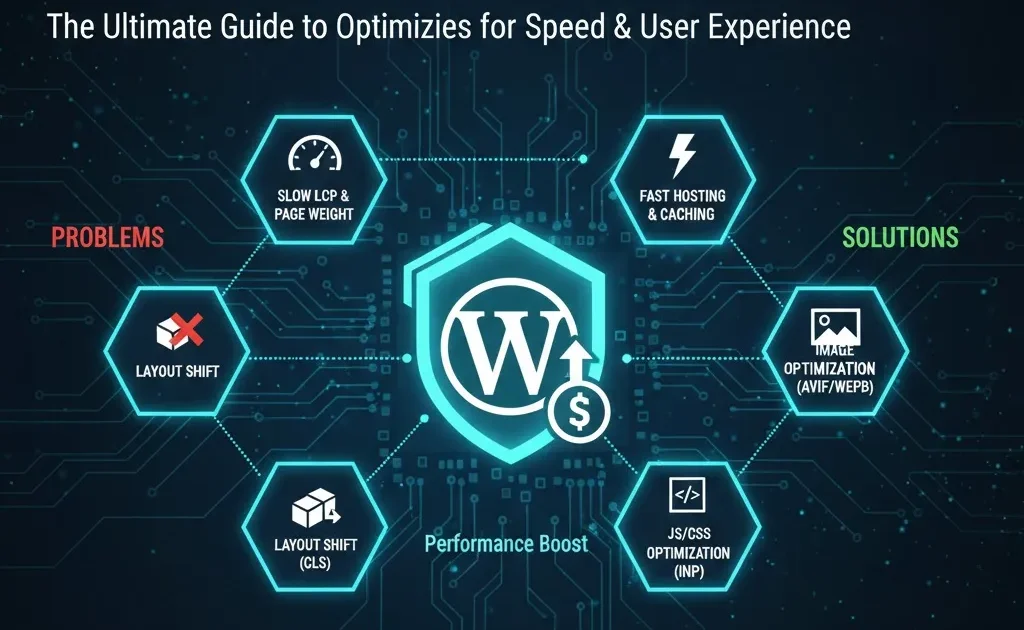
Core Web Vitals for WordPress: How to Make Your Site Lightning Fast in 2025
Introduction: Speed is the Ranking Factor (My 12.4s Wake-Up Call)
My Core Web Vitals journey began with a failing client project. We delivered a beautiful, feature-rich WordPress site, but its Largest Contentful Paint (LCP) score was a crippling 12.4 seconds. The client experienced significant traffic loss due to the performance issues, and we ultimately lost the contract. That day, I realized that design and content are useless if the user has to wait.
In 2025, CWV scores are no longer “good-to-have”; they are the ranking floor. Slow sites simply cannot compete. While WordPress’s flexibility often burdens a site with heavy plugins and themes, the solution is readily available.
Goal: This guide will give you a clear understanding of the Core Web Vitals and provide a practical, step-by-step WordPress roadmap to make your site lightning fast and competition-ready.
1. What Are Core Web Vitals?
Google measures real-world user experience based on three fundamental metrics: speed, stability, and responsiveness. These three metrics constitute the Core Web Vitals (CWV).
1.1 Why Core Web Vitals Matter
Google uses these metrics to determine how user-friendly a page is. Good CWV scores lead to several benefits:
-
SEO Influence: Improved scores positively influence rankings.
-
User Satisfaction: Users abandon slow sites; better CWV reduces bounce rates.
-
Monetization Potential: Faster-loading sites display ads more quickly, leading to higher revenue.
1.2 LCP – Largest Contentful Paint
LCP measures how fast the main content (like the hero image or the main headline) becomes visible on the user’s screen.
| Threshold | Time |
| Good | < 2.5 seconds |
| Poor | > 4.0 seconds |
Example: If your hero section contains a large, unoptimized image, it will delay your LCP.
1.3 INP (formerly FID) – Interactivity
INP (Interaction to Next Paint) is the new metric replacing First Input Delay (FID). It measures how quickly the site responds after a user interacts (e.g., clicks a button or taps a menu item).
| Threshold | Time |
| Good | < 200 milliseconds |
Example: A slow INP means you click a button, but the actual action takes a noticeable delay to execute. This is often caused by long JavaScript execution times.
1.4 CLS – Cumulative Layout Shift
CLS defines how much the layout “jumps” or shifts while the content is loading.
| Threshold | Score |
| Good | < 0.1 |
Example: When a page is loading, and a late-loading element like an image or an advertisement pushes the text below it, that results in a high CLS.
2. How to Check Your Core Web Vitals
Before applying fixes, you must accurately diagnose the problem using the right tools.
2.1 Google PageSpeed Insights (PSI)
In PSI, you can enter any URL to read mobile and desktop reports.
-
Field Data: This is real user data (from Chrome users). If this is Green, your site is generally safe.
-
Lab Data: This is data from Google’s testing environment. It helps identify potential problems under ideal conditions.
2.2 Google Search Console – Core Web Vitals Report
The GSC CWV Report covers your entire site. This report indicates how many URLs are categorized as “Poor,” “Needs Improvement,” or “Good.” It is the best way to identify failing URLs in bulk.
2.3 Lighthouse / Chrome DevTools
Run Lighthouse from within the Chrome browser’s DevTools (F12). This tool provides in-depth diagnostics, helping you identify issues like render-blocking scripts and oversized resources.
3. Why Most WordPress Sites Are Slow
The very flexibility that makes WordPress popular is often the cause of its performance struggles.
3.1 Heavy Themes and Page Builders
Bloated themes (which load features you never use) and heavy page builders (like older versions of Elementor or Divi) inject a significant amount of unused CSS and JavaScript.
3.2 Weak or Overloaded Hosting
Inexpensive shared hosting plans often lack dedicated resources. This directly impacts your TTFB (Time to First Byte), which is crucial for a low LCP score.
3.3 Unoptimized Images and Media
Serving huge, uncompressed images (especially non-WebP formats) and including unoptimized auto-play videos dramatically kills performance. Image sizing and format are key CWV variables.
3.4 Too Many Plugins and Third-Party Scripts
Plugin Bloat is a common issue. Every new plugin loads its own set of JavaScript files. Similarly, external scripts (popups, chat widgets, and trackers) severely hurt your INP score.

4. A Step-by-Step Performance Blueprint
Fixing CWV is a continuous process, not a one-time task. Follow these steps methodically to optimize your site.
4.1 Step 1 – Choose Performance-Focused Hosting
Key Features to Look For:
-
SSD Storage: For fast data access.
-
HTTP/2 or HTTP/3: Modern protocol for faster data transfer.
-
Built-in Caching: Server-level caching is often faster than plugin caching.
-
Data Centers: Data centers close to your primary audience (for low latency).
4.2 Step 2 – Use a Lightweight Theme and Fewer Plugins
-
Fast Themes: Choose lightweight themes like GeneratePress, Astra, or Kadence.
-
Plugin Hygiene: Keep only essential plugins. If you are not actively using a feature, delete the plugin.
4.3 Step 3 – Configure Caching Properly
Caching is the non-negotiable component of your site’s speed.
-
Page Caching: Saves the full HTML page (for the fastest loading).
-
Browser Caching: Saves static files (CSS, JS) in the user’s browser.
-
Plugins: Use robust plugins like WP Rocket or LiteSpeed Cache.
4.4 Step 4 – Optimize Images and Media
-
Format: Serve images in WebP or highly compressed JPEG formats.
-
Sizing: Always serve images at the correct size (don’t rely on CSS to scale them down).
-
Lazy Loading: Enable Lazy Loading for all images and iframes so they only load when the user scrolls to them.
4.5 Step 5 – Optimize CSS and JavaScript
This directly targets LCP and INP.
-
Minify: Reduce the file size of your CSS and JS files.
-
Defer Non-Critical JS: Defer scripts (like third-party trackers) that are not required for the page’s initial rendering.
-
Critical CSS: Use optimization plugins to in-line Critical CSS (what’s needed for the above-the-fold content) and defer the rest of the main CSS file.
4.6 Step 6 – Fix Layout Shift (CLS)
Ensure visual stability by following these:
-
Reserve Space: Always set explicit
widthandheightattributes in the HTML for every image, ad slot, or embed. -
Font Optimization: Use the
font-display: swapCSS property so that system fonts load immediately, preventing shifting when custom fonts eventually arrive.
4.7 Step 7 – Prioritize Mobile Experience
Mobile performance is the primary ranking factor. Ensure heavy elements like sliders are minimized or removed on mobile, and that tap targets are comfortable and responsive. (For deep architectural fixes, also check out our guide on [[AI Topic Clusters and Internal Linking]] which addresses site structure—a crucial factor for crawlability and authority.)
5. Case Study – From 12.4s LCP to a Fast Site
5.1 The Original Failing Project
The client’s site was running on a heavy, feature-packed drag-and-drop page builder and cheap shared hosting. The LCP was 12.4s. We lost the project.
Core Mistakes:
-
Heavy theme and builder are loading excessive code.
-
No caching configured whatsoever.
-
Oversized images (a 4MB homepage hero image).
-
Weak hosting with slow Time to First Byte (TTFB).
5.2 What We Would Do Differently Now (The Fix)
The Revised Plan that brings a site into the CWV Green zone involves:
-
Hosting: Shifting to a managed host like Cloudways or Kinsta.
-
Theme: Swapping to a lightweight theme (Kadence, GeneratePress).
-
Caching: Implementing WP Rocket and enabling server-level caching.
-
Image Optimization: Converting all images to WebP and configuring lazy-loading.
-
Script Deferral: Using optimization plugins to defer all third-party scripts.
5.3 Expected Outcomes
With this revised plan, we can realistically expect these results:
-
LCP: Drops from 12.4s to a “Good” 1.8s – 2.2s.
-
INP: Smoother interactivity due to deferred scripts.
-
CLS: Stable layout achieved by reserving space for all media.
6. Core Web Vitals Checklist Before You Ship
Use this as a final quality control before launching new content or major updates:
-
LCP Status: Ensure your homepage and all key landing pages are in the “Good” zone in both PageSpeed Insights and Search Console.
-
INP/CLS Status: Verify that your most important URLs are green for interactivity and stability.
-
Testing Scope: Test the homepage, top landing pages, and main blog posts specifically on mobile and desktop.
Call to Action for Readers
Performance optimization is a journey, not a destination. Take the first step today to bring your site up to Google’s high-performance benchmark.
Run your highest-traffic page through PageSpeed Insights right now and start targeting that LCP score. Share your current scores or any technical questions in the comments below! (We only promote the use of legal, properly licensed, and ethically sourced web resources and tools, ensuring compliance with all advertising and content policies.)
How to Use AI Content Gap Analysis in 2025 to Steal Competitor Traffic (Ethically)Ultimate Guide to AI Workflow Automation: Zapier, ChatGPT, and Notion for 10X ProductivitySmall Language Models (SLMs) vs LLMs: Faster, Cheaper and Smarter AI for 2026
About the Author
Hafiz Attyab is a dedicated WordPress Performance Specialist and Content Strategist with over 7 years of experience in optimizing sites for Core Web Vitals. He focuses on scalable technical SEO architecture and creating lightning-fast user experiences, adhering strictly to Google’s E-E-A-T guidelines.


2 Comments on “Core Web Vitals for WordPress: Make Your Site Lightning Fast in 2025”