How to Use AI Content Gap Analysis in 2025 to Steal Competitor Traffic (Ethically)The 2025 WordPress Caching Blueprint: Make Any Site Instantly Faster
Introduction: Why Caching Is the “Secret Sauce” of 2025 Speed
If you are running WordPress, every time a visitor clicks a link, your server has to work. It communicates with the database, processes PHP code, and generates a page from scratch. This takes time—time that modern users (and Google) won’t give you.
Caching changes the game. Instead of “cooking” the page every time, caching takes a “snapshot” of the finished meal and serves it instantly to the next guest. In 2025, with Google’s INP and LCP metrics becoming stricter, a solid caching blueprint is the difference between a ranking site and a buried one.
Trust Layer: This framework comes from optimizing multiple WordPress sites that were stuck with “Poor” Core Web Vitals and moving them into the “All Green” zone over a few months. I have seen firsthand how fixing these metrics can recover lost traffic and double ad revenue.
What Is Caching? (Non-Technical Explanation)
In simple terms, Caching is a temporary storage area. Think of a restaurant menu: instead of the chef going to the farm to check ingredients every time a customer asks, “What’s for dinner?”, he writes it on a chalkboard. The chalkboard is the “Cache.” It’s fast, easy to read, and saves everyone time.
Why WordPress Especially Needs Caching
WordPress is a “Dynamic CMS.” This means your pages are generated on the fly using PHP and a MySQL database. Without caching, a sudden spike in traffic will “exhaust” your server’s CPU, leading to slow load times or the “Error Establishing a Database Connection.” Caching turns these dynamic requests into static HTML, making your site feel like a lightning-fast static website.
Types of Caching in a WordPress Stack
Page Cache (HTML Cache)
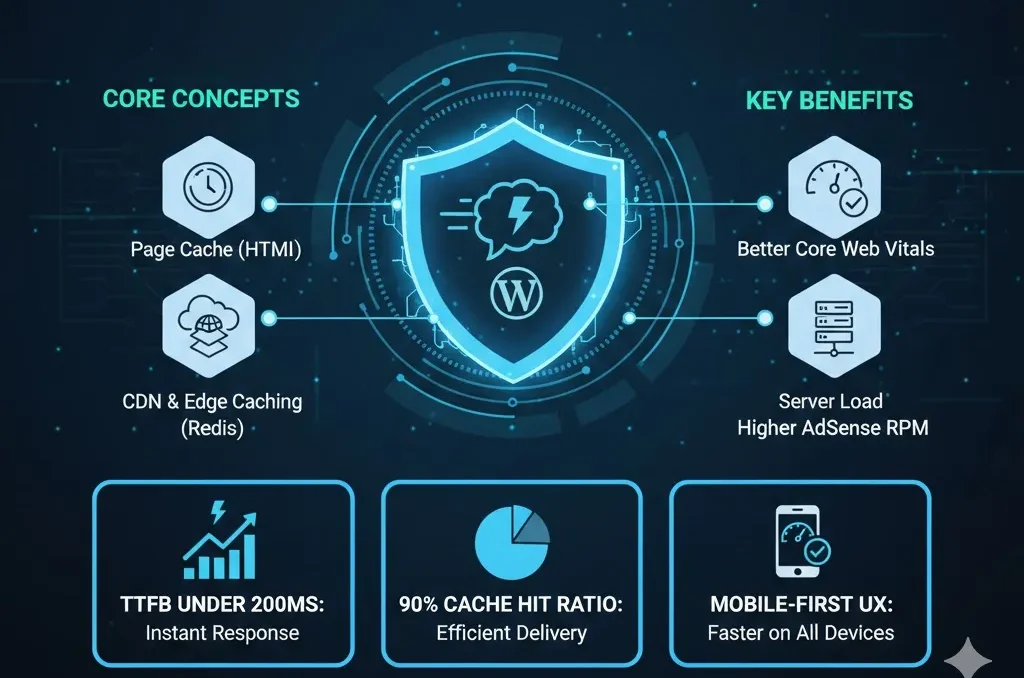
This is the most important layer. It stores the entire HTML of a page. When a user visits, the server sends this file immediately without touching the database.
-
Examples: WP Rocket, LiteSpeed Cache, or Nginx FastCGI cache.
Browser Cache
This happens on the visitor’s device. It instructs the browser to store CSS, JavaScript, and images locally, allowing repeat visits to load instantly without re-downloading assets.
Object & Opcode Cache (Advanced Layer)
-
Object Cache (Redis/Memcached): Essential for database-heavy sites like WooCommerce.
-
Opcode Cache (OPcache): Stores compiled PHP code in memory to save CPU execution time.
Hosting & Server Choices – The Base of Your Caching Strategy
LiteSpeed vs Nginx vs Apache in 2025
-
LiteSpeed: Currently the king of WordPress performance. LiteSpeed servers have “Server-Level” caching built in, which is significantly faster than standard plugin-level caching.
-
Nginx/Apache: Powerful but usually require “File-Based” caching plugins (like WP Rocket) or specific server-side configurations like FastCGI Cache.
CDN & Edge Caching
A CDN like Cloudflare or Bunny.net takes your cache and distributes it globally. If your server is in London but your visitor is in Karachi, the CDN serves the cached page from a local data center, reducing LCP significantly.
Recommended Caching Stacks (Neutral Suggestions)
Stack 1 – LiteSpeed Hosting Users
-
LiteSpeed Server + LiteSpeed Cache Plugin.
-
Why: Best for built-in server-level caching and QUIC.cloud integration.
Stack 2 – Non-LiteSpeed (Shared/Managed)
-
WP Rocket + Cloudflare.
-
Alternative: FlyingPress is a fantastic high-performance alternative that handles everything from page caching to image optimization in one clean interface.
Step-by-Step Setup for Beginners
Basic Page Cache Setup
-
Install your plugin and enable Page Caching.
-
Set Cache TTL (Time to Live) to 24 hours for standard blogs.
-
Enable Cache Preloading (Warmup) so the first visitor always gets a fast cached version.
Browser Cache and GZIP/Brotli
-
Enable Browser Cache headers in your plugin settings.
-
Turn on GZIP or Brotli compression to shrink your file sizes by up to 70%.
Advanced Caching – Object Cache & Logged-In Users
Redis/Memcached for Heavy Sites
If you run a WooCommerce or membership site, a simple Page Cache isn’t enough. Redis stores database fragments in RAM, making dynamic requests feel static.
Handling Dynamic Content
Warning: Never cache the /cart/, /checkout/, or /my-account/ pages. Use ESI (Edge Side Includes) to cache the entire page while keeping personalized parts (like the cart count) dynamic.
Common Caching Mistakes That Break Sites
Over-Stacking & Conflicts
Never run two full cache plugins at the same time. This causes “Stale Content” (new posts not showing) and random logouts.
Wrong Exclusions
Forgetting to exclude dynamic areas like admin APIs or checkout pages can break your site’s functionality. Always build a “Clear Cache” step into your deployment checklist after making design changes.
Measuring Real Gains (Not Just Scores)
A “100” score is nice, but TTFB (Time to First Byte) is the real metric. Aim for TTFB under 200ms if possible; anything consistently above 500ms usually means your caching or hosting needs attention. Good caching indirectly improves your LCP, which is critical for passing Core Web Vitals and boosting AdSense revenue.
14-Day Practical Caching Action Plan
-
Day 1–3: Audit current stack, uninstall extra plugins, and choose one main stack.
-
Day 4–7: Configure page + browser caching + CDN. Test your top 5 pages.
-
Day 8–10: Add JS/CSS optimization (Minification/Delay).
-
Day 11–14: Set up Object Cache (Redis) for heavy sites and fine-tune exclusions.
Conclusion: Speed Is Your Competitive Advantage
In 2025, caching isn’t just about “speed”—it’s about server survival and user trust. A site that loads instantly feels professional and authoritative.
Today’s Plan: Run a TTFB test. If it is consistently high, check your caching settings immediately.
Next Steps: Now that your site is fast, ensure it is secure. Read our comprehensive guide on WordPress Security Basics 2025 to protect your performance gains from hackers.

