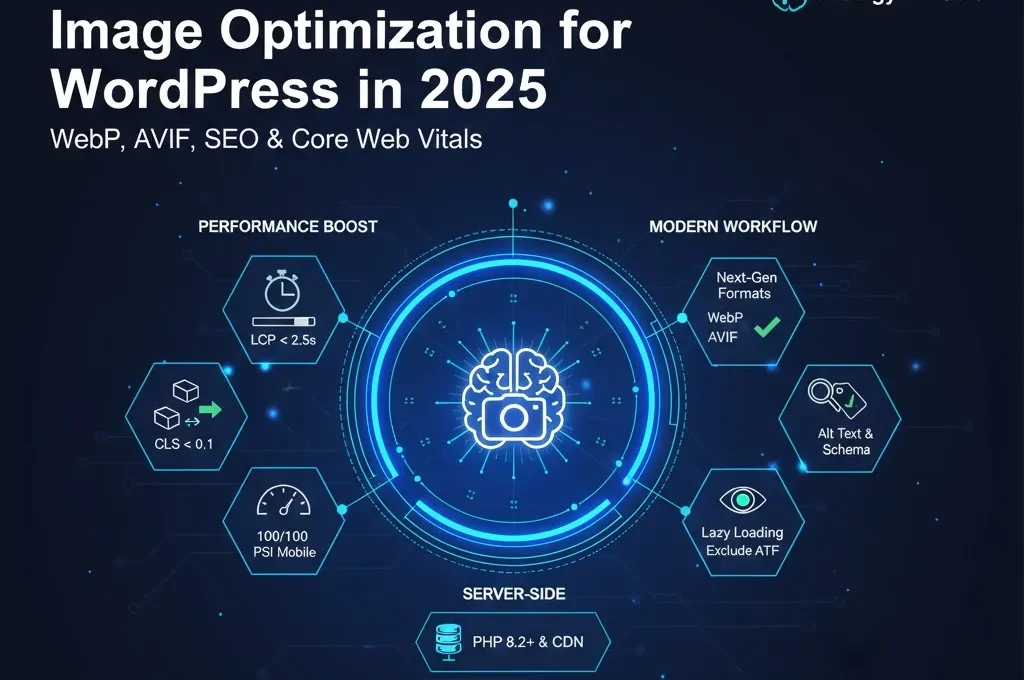
H.1 Image Optimization for WordPress in 2025: WebP, AVIF, SEO, and Core Web Vitals
In 2025, images are no longer just visual aids; they are the primary driver of page weight and a critical factor in how Google evaluates your website. Statistics show that images typically account for 60% to 70% of a total page’s weight. Therefore, optimizing your media library is the single most effective way to improve your Core Web Vitals and keep your users engaged.
This guide provides a deep dive into modern image formats, SEO strategies, and technical workflows to ensure your WordPress site remains lightning-fast.
1.2 Why Image Optimization Matters in 2025
The impact of images on a website goes far beyond aesthetics. As search engines evolve to prioritize user experience, the technical performance of your images has become a direct ranking factor.
1.3 Impact on Core Web Vitals
Unoptimized images are the leading cause of poor LCP (Largest Contentful Paint) and CLS (Cumulative Layout Shift) scores. If a high-resolution hero image takes 4 seconds to load on a mobile device, your LCP fails. If that same image causes text to jump after loading, your CLS fails. In 2025, these failures result in lower search rankings.
1.4 Conversions and Bounce Rates
Modern users expect a page to load in under 2 seconds. Every additional second of loading time correlates with a 7% drop in conversions. By optimizing images, you reduce the time interaction, lowering your bounce rate, and increasing the probability of ad clicks or product purchases.
H.2 Understanding Modern Image Formats
Choosing the right file format is the first step in a successful optimization strategy. While JPEG and PNG were the standards for decades, next-gen formats have taken over.
2.1 When to Use JPEG vs PNG
-
JPEG: Best for photographs and complex images with many colors. It allows for high compression but does not support transparency.
-
PNG: Best for logos, icons, and UI elements that require transparency or have very few colors. Relying on PNGs for large photographs is a common mistake that leads to massive file sizes.
2.2 WebP and AVIF Support in WordPress 6.x
Since WordPress 5.8, WebP has been natively supported, and as of WordPress 6.5, AVIF support is now built in.
-
WebP: Offers 25-34% better compression than JPEG while maintaining similar quality. It is supported by almost 97% of modern browsers.
-
AVIF: The new industry leader. AVIF files are often 50% smaller than JPEGs and significantly lighter than WebP. If your server supports it, AVIF should be your default choice in 2025.
H.3 Core Web Vitals and Images (LCP, CLS, INP)
To pass Google’s performance benchmarks, you must understand how images interact with browser rendering.
3.1 LCP – Largest Contentful Paint
The LCP is often the “Featured Image” of an article. To optimize this:
-
Compress aggressively: Ensure the LCP image is under 100KB.
-
Avoid Lazy Loading: Never lazy load images “Above the Fold.” Use
fetchpriority="high"for the main hero image to tell the browser to prioritize it.
3.2 CLS – Cumulative Layout Shift
Layout shifts happen when the browser doesn’t know the dimensions of an image before it loads.
-
Fix: Always include
widthandheightattributes in your HTML. Modern WordPress does this automatically, but if you are using custom code or page builders, ensure dimensions are defined. -
CSS Aspect Ratio: Use
aspect-ratioIn your CSS to reserve space for images during the loading process.
3.3 Preparing Images Before Upload
Optimization starts before you even log in to WordPress. An “Offline Workflow” saves server resources and ensures consistency.
3.4 Sourcing and Licensing
Using custom screenshots or unique photography is better for SEO than overused stock photos. Ensure you are using copyright-safe sources (like Unsplash or Pixabay) to avoid legal issues that can affect your AdSense eligibility.
3.5 Resizing and Pre-Compression
Never upload a 4000px-wide image if your blog width is only 800px.
-
Resize: Use a desktop tool or online compressor (like TinyPNG or Squoosh) to resize images to their maximum display width.
-
Quality Range: For photographs, a quality setting between 70–85 is the “sweet spot” where file size drops significantly without a noticeable loss in visual clarity.
H.4 WordPress Media Settings and Responsive Images
WordPress has built-in features to help handle different device sizes, but they require proper configuration.
4.1 Image Sizes and srcset
When you upload an image, WordPress creates several sizes (Thumbnail, Medium, Large). The srcset attribute then tells the browser: “Here are five versions of this image; pick the one that fits this screen best.”
-
Pro Tip: Clean up unused image sizes using a plugin to prevent your
uploadsfolder from growing into gigabytes of redundant data.
4.2 Disabling Attachment Pages
By default, WordPress creates a separate URL for every image you upload. These “Attachment Pages” provide no value and are considered “Thin Content” by Google. Use an SEO plugin (like Rank Math or Yoast) to redirect attachment URLs to the parent post.
H.5 Implementing WebP and AVIF on WordPress
To serve next-gen formats effectively, your server environment must be prepared.
5.1 Server Requirements
Your hosting should be running PHP 8.2 or higher. Additionally, the Imagick or GD library must be enabled to allow WordPress to perform the actual conversion of files.
5.2 Fallback Strategy
While most browsers support WebP, some older systems do not. A proper <picture> element allows you to serve AVIF to modern browsers while falling back to JPEG for older ones:
HTML
<picture>
  <source srcset="image.avif" type="image/avif">
  <source srcset="image.webp" type="image/webp">
  <img src="image.jpg" alt="Description of image" width="800" height="600">
</picture>
H.6Lazy Loading, CDNs, and Delivery Strategy
How you deliver images is just as important as the file size itself.
6.1Lazy Loading Best Practices
Since WordPress 5.5, lazy loading is native. However, you should exclude the first two images of any post from lazy loading. If the browser has to wait for a script to trigger before showing the main image, your LCP score will suffer.
6.2 Image CDNs
An Image CDN (like Cloudflare Mirage, Bunny.net, or ShortPixel Adaptive Images) does more than just host files. It detects the user’s device in real-time and serves a perfectly resized, WebP-compressed version of the image from a server geographically close to the user.
H.7 Image SEO for 2025 (Beyond Just Alt Text)
SEO for images helps you rank in Google Image Search, which can account for up to 20% of a site’s total traffic.
-
File Names: Change
IMG_1234.jpgtowordpress-speed-optimization-guide.jpg. Use hyphens, not underscores. -
Alt Text: This is for accessibility and SEO. Describe the image clearly: “A screenshot of WordPress dashboard showing image optimization settings.”
-
Schema Markup: Use ImageObject structured data to help Google understand the context of your media.
H.8 14-Day Image Optimization Action Plan
Days 1–3: The Audit Phase
Run your top 10 most visited pages through PageSpeed Insights. Identify “Unsized Images” and “Avoid enormous network payloads.” Create a list of the heaviest assets.
Days 4–7: Basic Fixes
Install a conversion plugin (like Converter for Media or WebP Express) to handle your library. Ensure your server is running PHP 8.2 for maximum speed.
Days 8–11: Advanced Configuration
Set up your CDN and refine your lazy loading settings. Manually check your LCP images on mobile to ensure they are loading instantly without a “lazy” delay.
Days 12–14: Bulk Optimization and Cleanup
Run a bulk optimization on your entire existing library. Update old alt texts and file names on your highest-ranking posts to ensure they are 2025-compliant.
Conclusion: Building a Scalable Workflow
Image optimization in 2025 is not a one-time task; it is a continuous process. By automating your upload-time optimization, staying on modern server versions like PHP 8.2, and utilizing next-gen formats like WebP and AVIF, you ensure your site remains competitive. A fast site with optimized media results in happier users, better search rankings, and a healthier bottom line.

